

Serial Number Search Tutorial
With the serial number search tool, customers are able to easily and efficiently search for all serial #'s for products purchased by your account. Customer's are also able to have their serial numbers emailed to them inside a excel .csv file for a specific dates or exact list results, based on search.
In order to take advantage of this functionality, you'll need to be signed into your account.
View and Download Serial Numbers
There is two ways to search for your serial numbers of your purchased products.
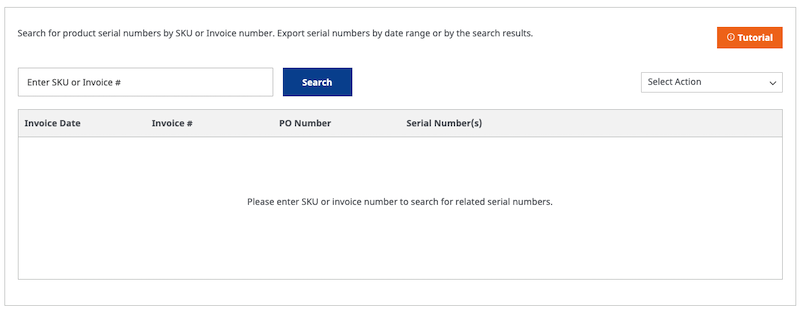
Download Serial Number's by date
Once a customer is logged in and goes to the main serial number search page; they will be able to just download all serial #'s associated with all purchases within a specific date range.

Select the "download serial #'s by date range option and a pop up date picker will appear.

Enter a date range anytime from 2016 onwards and you will be emailed a Excel .csv file within 5 minutes.
Search Serial Number's by SKU or Invoice Number
Enter a SKU # that you have purchased or invoice # and pull up all results associated with it.
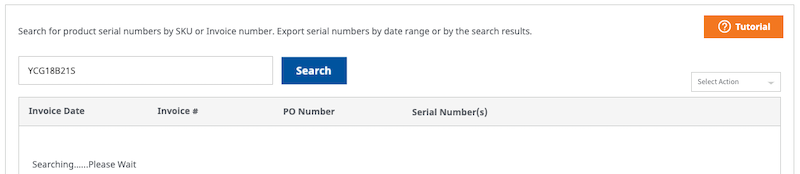
If not results are found you will receive this notice. This means no invoices have that associated sku.

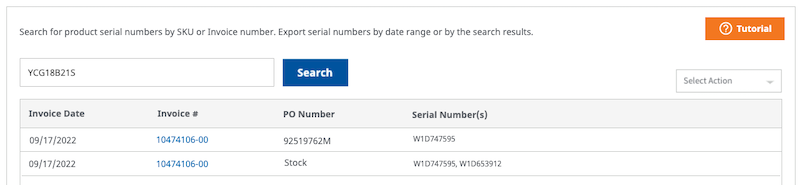
If results are found you will see a list of all invoices with that associated SKU # or all SKU #'s associated with that invoice. Invoice's are hyperlinked so you will be open each in a new tab and view.
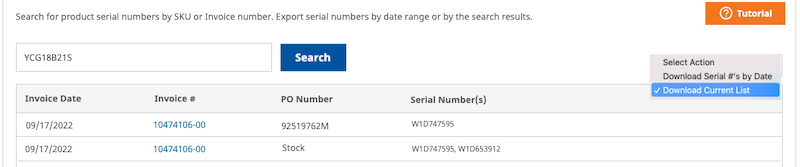
Download Serial Number Current List
If a customer searches by SKU or invoice # and results are shown; they have ability to have that list emailed to them. Just select "Download Current List" and customer will receive a Excel .csv file via email within 5 minutes.
of Johnson Controls International plc and its affiliated companies. Used under license.