

My Quotes Tutorial
My Quotes allows you to view and purchase quotes created by your store Account Manager. Created quotes are only available for 60 days and will fall off after 2 months.
In order to take advantage of this functionality, you'll need to be signed into your account.
Search/Filter Function
The quotes search bar allows customers to filter and search by PO Number, Quote #, SKU # and Quote From/To dates for a range. Users can search/filter by one or multiple options at any time. Click clear to reset your filters.

Quotes List View
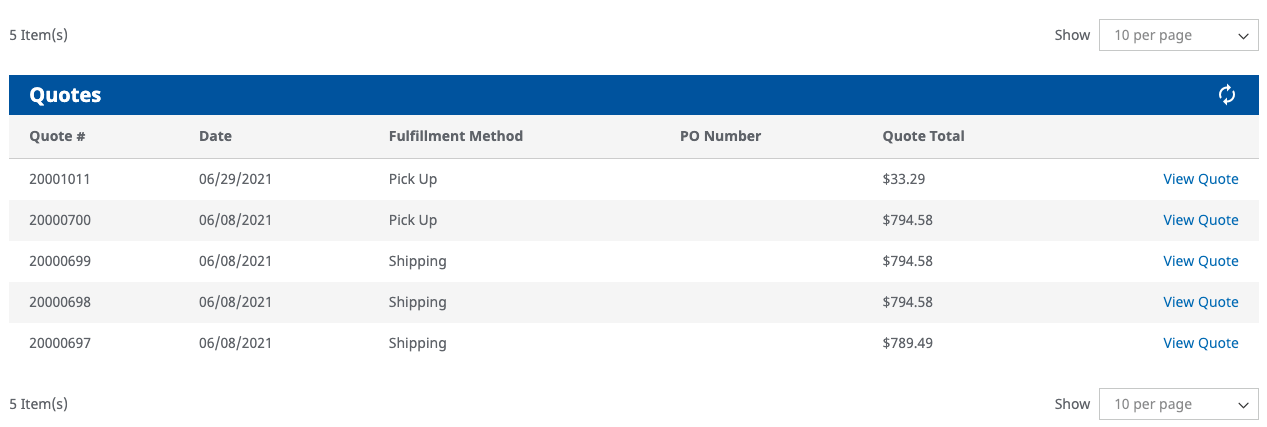
Users can view all their active quotes in the last two months for each account. To view details of a quote, click "View Quote" link on each row.If you are wanting to place the order from the quote then just click "Proceed to Checkout" button at the bottom of each quote to be directed checkout. Once ordered, the quote will be removed from the profile and converted into a order.
Quote Detail View
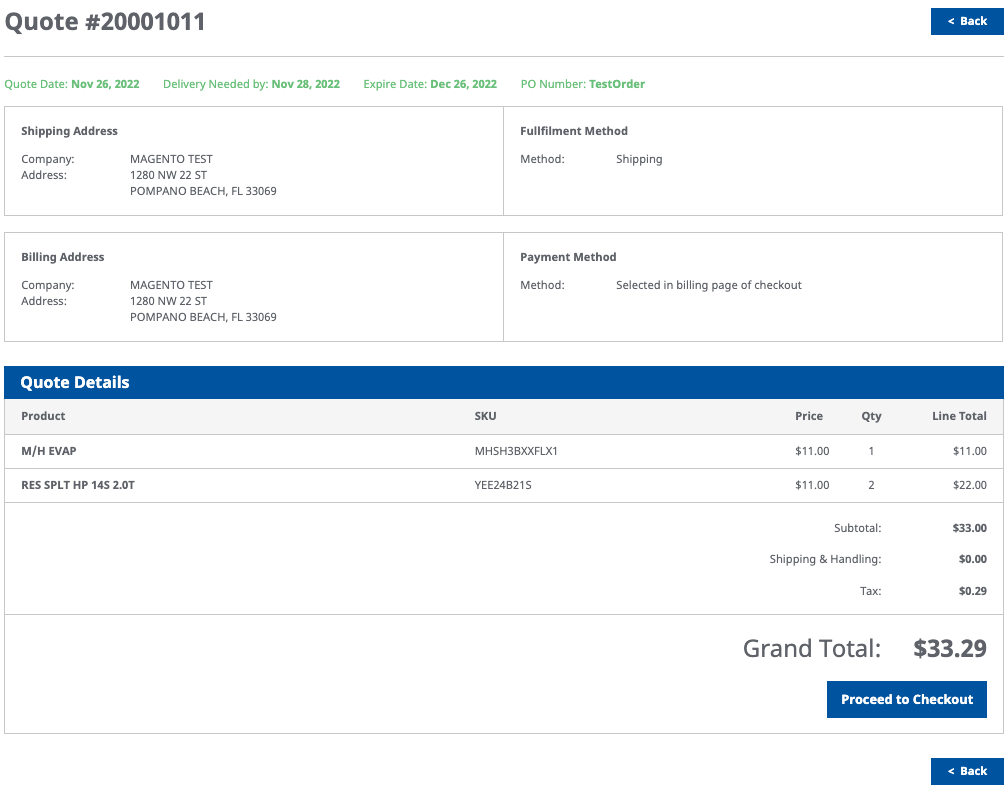
Users can click on "View Quote" to open up all details about the created quote. You also will be able to see if your order is selected for shipping order pick-up. Please contact your account manager if you want this changed. A quote cannot be edited online. If you are wanting to place the order from the quote, then click "Proceed to Checkout" button at the bottom of each quote to be directed to our one-page checkout page. Once ordered, the quote will be removed from the profile and converted into a order.
Ordering Quote/Checkout
Once the "Proceed to Checkout" button is clicked the the order will be on our one-page checkout screen. If a PO number was not entered in the quote, then please entered on this page. Once ordered, the quote will be removed from your profile and converted into a order. You will receive the same success page and order email as from the regular ordering process.