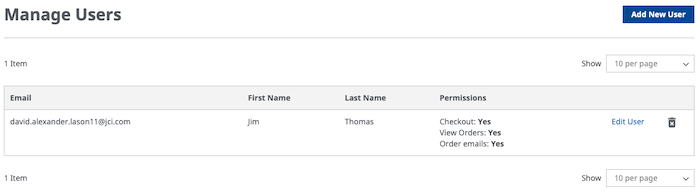
The Manage Sub User accounts featureturns your standard customer account into one with multiple users with different levels of access permissions. Company Master Users can choose from four different permission levels to give users access according to their role in the business. The account owner can also allow sub-users to create orders, track sales, access cart or checkout page, and modify profile information, depending on defined roles.
By creating sub accounts, you can define user roles and allow each of your employees to perform different actions according to their role in the company. This is a great feature for businesses looking to create specialized employee logins.
Multi-User Account – Allow account access to other users.
Sub-Logins- Create unique sub logins for multiple users.
Sub-User Abilities – Allow sub-users to create orders, track sales, and modify profile information, depending on defined roles.
User Management – Add, edit, or delete sub-users and user roles in your Magento online store.
Manage User Permissions– Control user permissions per each individual user.
Security – Prevent site errors and protect sensitive information with strict permission to access controls per user role.
Access Permission Levels – Read Only, Modify Account Information (like addresses, names), Order Creation, Order Creation & Modify Account, Order Creation with Approval.
Cart Options – Sub-users can share a shopping cart or each user have own separate cart.
Modify Account Information – User can only modify general profile information such as addresses and names.
Order Creation – Sub-admin user can create new orders, but cannot modify profile information.
View Account Orders – Define if the sub account can view all account orders or only their sub account orders.